
How to list AI skills on your resume in 2026 (with examples for every role)
Updated October 2026 · By the ClaudeCV Editorial Team
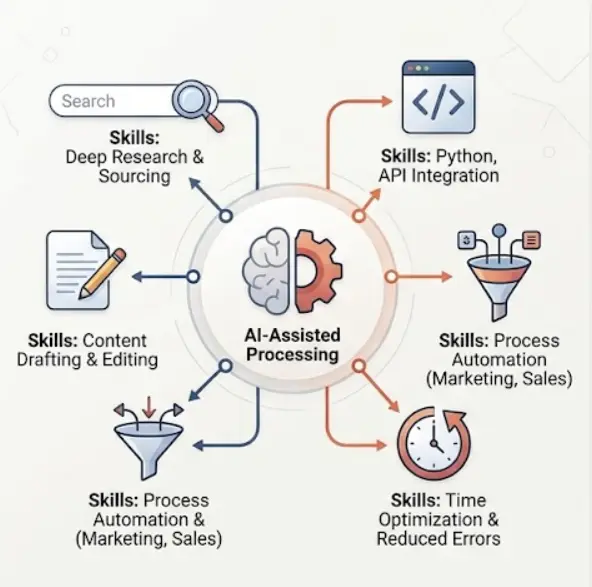
A few years ago, "familiar with ChatGPT" on a resume was a curiosity. Today, job descriptions in marketing, software, HR, teaching, finance and customer support increasingly mention AI tools or AI-assisted work. That creates a new question for job seekers: how do you show AI skills honestly, in a way that a recruiter and an applicant tracking system (ATS) can both understand?
This guide explains what employers usually mean by "AI skills", where to place them on your resume, a simple formula for writing strong bullets, and examples you can adapt for your own field. It also covers the mistakes that make AI claims look weak or exaggerated. Nothing here can guarantee an interview, but it will help you present what you can truly do in a clear and credible way.
What employers mean by "AI skills"
The phrase covers a wide range, and the right way to list it depends on where you sit in that range. It helps to think in three broad levels:
- AI literacy. You understand what generative AI tools can and cannot do, you know they can make mistakes, and you check their output before it is used. This applies to almost every office job.
- Applied AI use. You use specific tools (for example an AI assistant, a transcription tool or a data analysis tool) to do real work faster or better, such as research, drafting, summarising, reporting or automating repetitive steps.
- Building with AI. You write code or configure systems that use AI, for instance calling a language model API, building a data pipeline, training a basic machine learning model or deploying a model into an application.
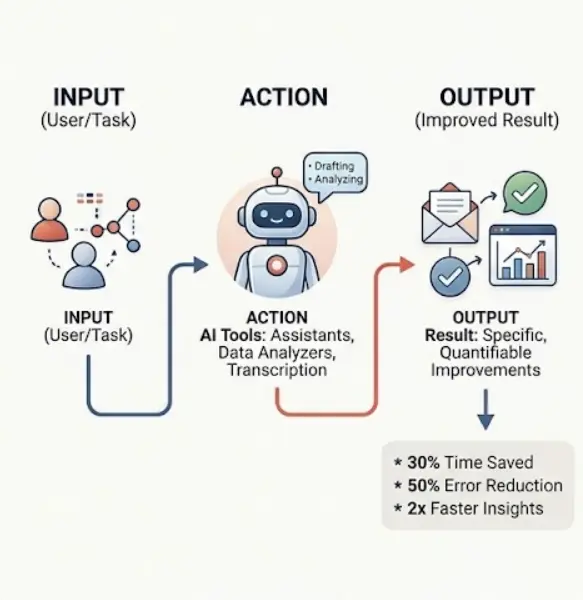
Be honest about which level describes you. A teacher who uses an AI assistant to draft lesson plans and then edits them carefully has applied AI skills worth mentioning. A developer who integrated a model into a web application has a different, more technical story. Both are valid, and neither needs to pretend to be the other.
Step 1: Audit what you really use
Before you edit your resume, spend ten minutes on a simple audit.
- List every AI tool, library or technique you have used in the last year, at work, in study or in personal projects.
- Next to each one, write the task you used it for and any result you can describe, such as time saved, errors reduced or output volume.
- Cross out anything you could not explain for two minutes in an interview.
- Open the job description you are targeting and highlight the AI-related words it uses.
What remains is your honest, usable list. It is usually shorter than people expect, and that is a good thing. A short list you can defend is more persuasive than a long list you cannot.
Step 2: Put AI skills in three places, not one
Many job seekers add a single "AI" line to the skills section and stop. A stronger approach is to place AI skills where each part of the resume does a different job.
1. Professional summary: a positioning line
In your summary, one short clause is enough. It tells the reader where AI fits in your work, without turning the summary into a tool list.
Example: "Operations analyst with five years of experience in reporting and process improvement, using Python and AI-assisted analysis to shorten monthly reporting cycles."
2. Skills section: named tools and capabilities
Here, list specific names in plain text. Group them so they are easy to scan. If you have several AI-related skills, a clearly labelled line or sub-group works well.
Use the standard heading "Skills" or "Technical Skills". Creative headings can confuse some systems, and clear labels help human readers too.
3. Experience and project bullets: the proof
This is the most important place. A skills list says you know something; a bullet shows what you did with it. Tie each AI skill to the job or project where you used it, and vary the wording rather than repeating the same phrase everywhere.
Step 3: Write bullets with a simple formula
A reliable structure for an AI-related bullet is:
[Action verb] + [tool or technique] + [task or output] + [result], with [how you checked it].
The final part, how you checked the output, is optional but valuable. It signals good judgement, which many employers care about as much as speed.
Weak: "Used AI tools for content."
Stronger: "Drafted first versions of weekly product update emails with an AI assistant, then edited for accuracy and tone, cutting preparation time from about three hours to one."
Weak: "Worked with machine learning."
Stronger: "Built and evaluated a basic classification model in Python to flag likely duplicate support tickets, and documented its accuracy limits for the support team."
All figures in these examples are illustrative. Use your own real numbers, and if you do not have exact measurements, describe the outcome in plain terms rather than inventing a percentage.
Examples by role
The following lines show how the same idea looks in different fields. Adapt them to your own experience and only keep what is true for you.
Software and Python developers
- Integrated a language model API into an existing web application to summarise customer feedback, with request logging, cost monitoring and basic error handling.
- Built a Python workflow to extract fields from PDF documents and load them into a database, reducing manual data entry for the operations team.
- Wrote automated tests and input validation around AI-generated output before it reached production users.
Data and business analysts
- Used AI-assisted analysis to explore a large survey dataset, then verified every figure against the source data before presenting to management.
- Automated a monthly reporting dashboard using Python and SQL, shortening the preparation cycle for the finance team.
Marketing and content roles
- Produced campaign copy drafts and A/B test ideas with an AI assistant, with final editing for brand voice and fact-checking by a human editor.
- Summarised competitor and customer research into one-page briefs, saving the team several hours each week.
HR and recruiting
- Drafted job descriptions and interview question banks with AI support, then reviewed them for clarity and inclusive language.
- Used a scheduling and summarisation tool to reduce administrative work around interviews, keeping candidate data inside approved company systems.
Teachers and trainers
- Created differentiated practice questions and lesson outlines with an AI assistant, then reviewed and adapted each one for the class level.
- Taught students how to check AI-generated answers against reliable sources.
Students and freshers
- Built a final-year project that used a pre-trained language model to answer questions from a set of course documents, and documented where it made mistakes.
- Used AI tools for research and revision, verifying every citation manually before including it in coursework.
If you are just starting out and have limited work history, our guide on writing a resume with no experience shows how to use projects and coursework to fill the gap.
A sample skills section
Here is one way a technical candidate might present AI-related skills in plain text. Replace each item with your own genuine skills.
Skills
Programming: Python, SQL, JavaScript
AI and data: machine learning (ML) basics, language model (LLM) API integration, data processing, prompt design
Tools: Git, REST APIs, Power BI, Flask
Ways of working: Agile, code review, testing
Notice that it spells out "machine learning" and also uses the common abbreviation "ML". Job descriptions use both forms, so including both helps a keyword match without any stuffing.
How this works with an ATS
An ATS is software that stores and sorts applications. Many versions let recruiters search for keywords, and some rank candidates against the job description. You can improve your chances of being found with a few sensible habits:
- Mirror the job description's wording where it is true. If the posting says "generative AI", use that exact phrase if it applies to you, not only "AI tools".
- Use real text, not images. Skills shown as logos, icons or rating bars may not be read at all. Write them as words.
- Keep the layout simple. Single-column layouts with standard headings are the safest for parsing. See our guide on resume formats for details.
- Do not stuff keywords. Listing terms you do not use can backfire at the interview stage and wastes space.
You can paste your resume and a job description into our free ATS resume checker to see which skill keywords from the posting are missing, then add only those that genuinely apply. For a deeper walk-through of this process, read how to find resume keywords in a job description.
Mistakes to avoid
- Listing a tool name and nothing else. "ChatGPT" alone tells a reader very little. Pair every tool with a task or outcome.
- Overstating your level. Calling yourself an "AI expert" after a short course invites hard questions. Use accurate descriptions such as "working knowledge" or name the projects you completed.
- Claiming results you cannot explain. If a number appears on your resume, be ready to say how it was measured.
- Repeating the same sentence in every section. Summary, skills and bullets should support each other, not copy each other.
- Sharing confidential details. Describe the type of work, not private client data, internal systems or anything covered by a confidentiality agreement.
- Submitting generic AI-written text. Drafting help is fine, but the final resume should be accurate, specific and in your own voice. Our article on using AI to build an ATS-friendly resume explains how to edit AI drafts properly.
Be ready to talk about it
Anything on your resume can become an interview question. For each AI skill you list, prepare short answers to these:
- What problem were you solving, and why did you use this tool or method?
- What did the tool get wrong, and how did you catch it?
- How did you protect private or sensitive data?
- What would you do differently next time?
Candidates who can discuss limits and checking, not only speed, tend to sound more trustworthy. If you want practice, our common interview questions guide is a good place to start.
Frequently asked questions
Should I put ChatGPT on my resume?
Yes, but only if you can explain how you used it. Pair it with a task and a result, and place it in your experience or project bullets as well as your skills list.
How many AI skills should I list?
List the ones you genuinely use and could discuss in an interview. For most people that is roughly four to eight items. A long list of tools you have barely used reads as padding.
I am not technical. Can I still add AI skills?
Yes. Applied use counts: research, drafting, summarising, analysis and workflow automation, along with the checking you do on the output and the benefit you saw.
Will AI skills on my resume help me pass an ATS?
They help when they match the job description's wording and appear as plain, readable text. No resume wording can guarantee an interview, because each employer decides how its system is set up and what it prioritises.
Is it a problem if my resume was written with AI help?
Using AI to draft or edit is common, but the final text must be accurate and sound like you. Check every claim, remove generic phrases and make sure you can speak to each line.
Final thoughts
Listing AI skills well is less about buzzwords and more about evidence. Name the tools you genuinely use, show the task and the outcome, mention how you checked the work, and keep the wording close to what the employer is asking for. A short, honest and specific section will serve you better than a long list of trending terms, and it will give you something solid to talk about once you reach the interview.
Related reading
- How to write the skills section of your resume (with examples)
- Software engineer ATS resume template
- How to write a resume summary: formulas, examples and mistakes to avoid
Pick a clean, ATS-friendly template and export a PDF in minutes.
Start building →